
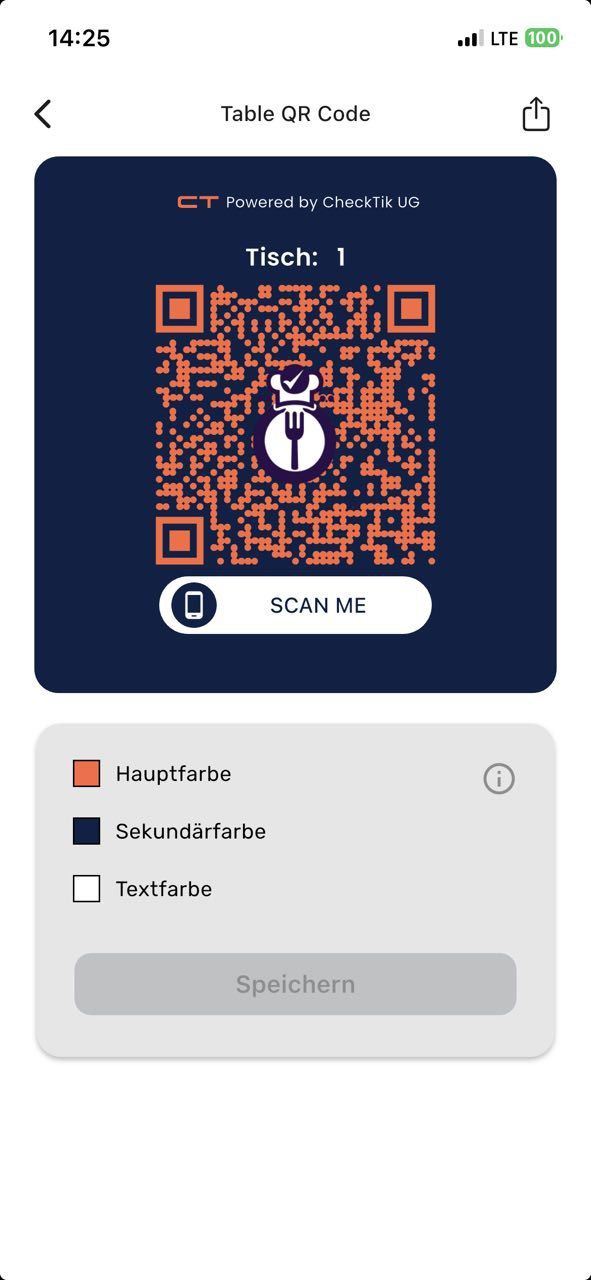
Your guests scan the QR code at the table, select dishes directly in the browser, and order independently. Your team keeps track of all orders in real time with CheckTik.
Guests scan the QR code at the table, open the menu directly in their browser, and order without downloading an app.
From the table to the kitchen – intuitive for guests and restaurant teams.
The guest scans the code on the table.
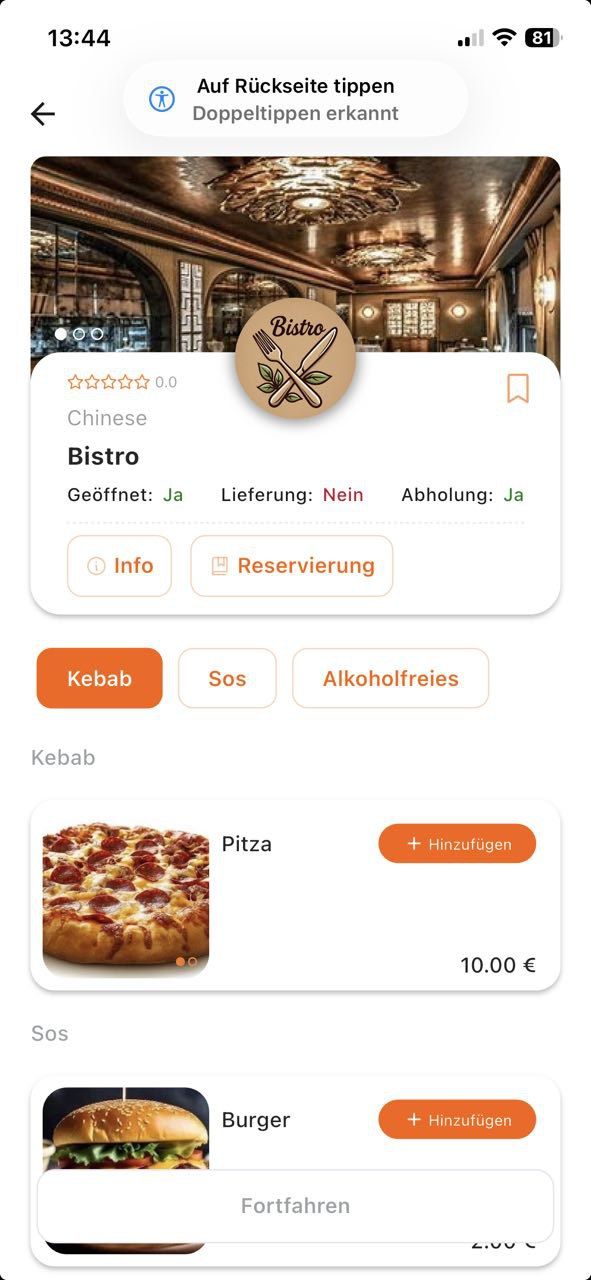
The menu opens in the browser – without an app.
Choose dishes, quantities, and extras.
The order is displayed instantly in the restaurant.
The team processes the order with live status tracking.
Browser-based QR ordering connects your guests with the CheckTik QR code and digital menu. Your team sees incoming orders immediately and manages their processing status live.
Online payment and additional features like takeaway, delivery, and reservations complement table ordering seamlessly.
Guests go straight to the menu and order directly at their table.
Maintain products, prices, descriptions, photos, and allergens in real time.
Offer customizable product options, add-ons, and combo menus.
Receive new orders instantly and track preparation status.
Seamless digital payment processing integrated into the ordering flow.
Evaluate revenue, order volume, and best-selling items.
Start with zero monthly CheckTik base fee. The platform commission only applies when guests order via CheckTik.
* Pricing based on the CheckTik model; separate payment provider transaction fees may apply.
per qualified order via CheckTik
No fixed software subscription.
No. Guests scan the QR code and open the digital menu directly in their smartphone browser.
Yes. Guests select dishes and extras and send their order digitally to the restaurant.
Orders appear immediately in the CheckTik Restaurant App where your team can manage them.
Yes. You can update products, prices, and availability in real time in the restaurant management app.
There is no monthly base fee and only a 1% CheckTik platform commission per order. Standard payment processing fees may apply.
Show your guests your menu via QR code and simplify your ordering workflow today.
Discover CheckTik Now